


Your agent. Its own iPhone.
Give an AI coworker a real iPhone for app-based tasks—from a WhatsApp follow-up to a LinkedIn draft.

Physical iPhone control
Introducing Pichnett / In development
Give your AI an iPhone. And a hand.
We’re preparing US and European pilots with real SIMs, 5G and physical control.
01 / The object
Real iPhone. Native apps. Physical input.
Local presence / First pilots in preparation
Give your agents and workflows a physical presence elsewhere, through real iPhones and local mobile connections.
02 / The interaction
The camera observes the iPhone’s screen.
Your agent or workflow chooses the next action.
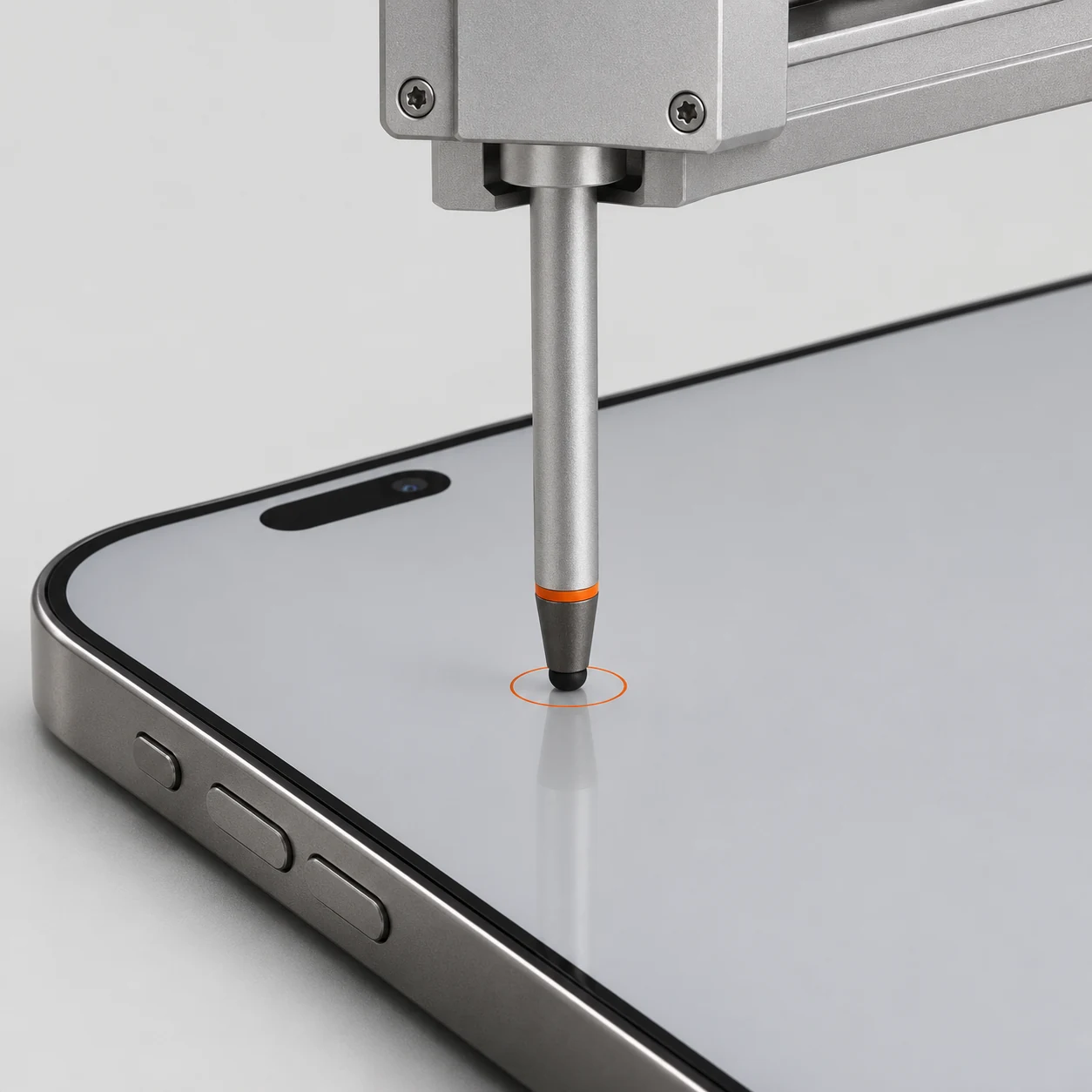
Pichnett makes contact with the screen.
Software decides. Hardware makes contact.
Why physical touch03 / Why physical touch
Your agent chooses the move. Pichnett makes it on the glass. Real contact with the touchscreen, rather than a software-generated tap.
Work through the app’s visible interface, including steps an API may not expose.
Physical input doesn’t need code added to the app. The screen is the point of contact.
A tap starts at the touchscreen, passes through iOS and reaches the app. The camera observes the response.
First pilots will validate each workflow.
First uses we’re exploring
Give an AI coworker a real iPhone for app-based tasks—from a WhatsApp follow-up to a LinkedIn draft.
Repeat the mobile steps your team still handles by hand. One workflow, with a result you can check.
Handle app-based tasks on a locally connected iPhone while you and your team work elsewhere. US and European pilots are in preparation.
05 / Your next move
Tell us the app, the task and the location.
Let’s explore a first pilot.